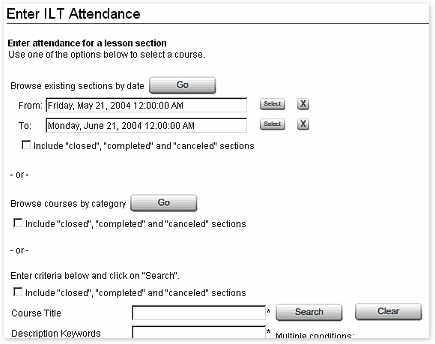
You can browse existing sections for all ILT courses by entering a range of dates and pressing "Go." See To use Select Date calendars in the "General Information and Procedures" section for information on entering dates.
You can also locate a specific ILT course by using the standard WBT Manager™ browse and search tools as described in Searching for a course in the "General Information and Procedures > To conduct a search" section, which contains a complete view of the search form with explanatory details. Only courses designated as instructor-led will be displayed in the searches.
To include sections that are not yet open or have already been closed to students or completed, click the checkbox in the appropriate section of the form.